Microsoft is retiring Publisher on October 1, 2026. Publisher will no longer be available after this date.
This means users will no longer be able to open or edit .pub files using Publisher. Microsoft is recommending that organizations convert important Publisher files to another format before the retirement date.
What is changing with Microsoft Publisher?
Microsoft is now moving those common Publisher tasks to other Microsoft 365 applications. Word and PowerPoint can already handle many of the projects businesses previously created in Publisher. Examples include: brochures, flyers, labels, calendars, business cards, newsletters, signs, and programs.
Microsoft says support for Publisher included with Office LTSC 2021 and Consumer Office 2021 ends on October 13, 2026. Perpetual versions may continue to function after support ends, but Microsoft will no longer provide support for the software.
What happens to existing .pub Files?
Microsoft 365 subscribers will no longer be able to use Publisher to open or edit files after the October 1, 2026 retirement date.
Even if you can't readily think of any important Publisher files, it's risky to assume that because nobody seems to be currently using Publisher, that older files don't matter. Finding those files now gives you time to decide what is worth keeping.
We recommend employees search computers, shared folders, OneDrive, and SharePoint for .pub files before the expiration date. Microsoft specifically recommends searching for ".Pub" to locate existing Publisher documents.
How can you preserve Publisher files?
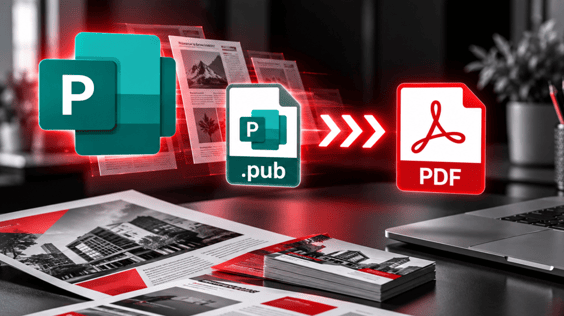
For documents you primarily need to view, print, or reference, PDF is likely the simplest option.
While Publisher is still available, an individual file can be opened and saved as a PDF. PDFs are designed to preserve a document's appearance and make it easier to view or print without needing Publisher.
What happens if your company has hundreds of Publisher files?
Microsoft has provided an example PowerShell script that (IT administrators) can work as a starting point to automate the conversion of multiple Publisher files. The script can process individual files, folders, or folders and their subfolders. Microsoft recommends modifying and testing the script for the your business's specific needs before using it broadly.
Can I convert a Publisher File to Word?
Microsoft's suggested process is to first convert the Publisher file to PDF. You can then open that PDF in Microsoft Word, which attempts to turn the PDF into an editable Word document. However, the Word version may not look exactly like the original Publisher document.
Microsoft notes that the converted Word document layout can change. Especially when the original document contains a lot of graphics. If you simply need to preserve a flyer so employees can reference or print it later, PDF may be enough.
If you have a Publisher template that employees regularly update, such as a newsletter, brochure, price sheet, or program, etc. Converting it to PDF, may not give you a clean, reusable replacement.
What should businesses use instead of Microsoft Publisher?
There isn't one universal replacement because businesses used Publisher for many different purposes.
Word may make sense for:
- Labels and envelopes
- Letterhead
- Newsletters
- Forms and invoices
- Programs
- Cards
PowerPoint or Word can be used for projects such as flyers, brochures, certificates, calendars, and business cards. Microsoft specifically recommends PowerPoint for banners, signs, and posters.
The right replacement ultimately depends on what the document does and who needs to edit it.
Do we need to convert every .pub File?
This is a good opportunity to clean up old files rather than automatically converting everything over. Once you've identified the Publisher files that still matter, you can determine which should become PDFs and which ones need to be re-created in another program.
What should your business do before October 1?
The most important step is simply to learn what Publisher files might be in use.
Search for .pub files on computers and in the locations where your organization stores shared documents. Identify which files employees still need and determine whether they need to remain editable.
Files that need to be kept can generally be converted to PDF. Documents that employees need to update may require additional work to move them into Word, PowerPoint, or another application.
Need help preparing for Microsoft Publisher's retirement?
Software changes can create unexpected problems when older files and business processes depend on applications employees no longer think about.
4BIS can help your businessa identify existing Publisher files, determine which documents need to be preserved, assist with bulk conversion, and plan for applications that will replace Publisher going forward.
If your organization uses Microsoft Publisher or you're unsure whether .pub files are still stored within your environment, contact 4BIS. We can help you determine what needs attention before Publisher reaches end of life.